• Home
Network Headlines
keep your memories alive
Belkin Company History
Opinion Pieces, Analysis and Columns

Behind Belkin – Its History, Successes, and Prospective

by Maria Caballero June 18, 2023
written by Maria Caballero

Founded in 1983, Belkin International is a renowned world leader in manufacturing accessories and gadgets that enhance consumers’ quality of living. The brand offers various consumer gadgets and enterprise contexts, from power solutions to home automation.

Originating from Southern California, the company produces devices that support business and home technology across over 50 countries worldwide. To further widen its global reach, Belkin International joined Foxconn Interconnect Technology (FIT) in 2018. Today, it continues its commitment to bettering lives through technology and sustainable materials.

Back to the Beginning: Belkin’s Origin Story

Steve Bellow and Chet Pipkin co-founded Belkin Components in the Pipkin’s garage in Hawthorne, California, back in 1983. As their brainchild, “Belkin” came from its founders’ combined names. Their early offerings include cables, LAN hardware, and surge protectors. With the first year’s sales reaching an impressive record of $178,000, the brand was on its way to success.

By 1996, the company had extended to house 280 workers and generate over 3,000 products. It also relocated to more extensive facilities in Compton, California, and established sales offices in Georgia, Atlanta, and the United Kingdom. Belkin enjoyed steady growth, with its annual sales eventually increasing by 70% the following year to over $90 million.

Humble Beginnings: What Propelled Belkins to Success

Belkin veered away from the typical venture capital (VC) practices that fueled unusual growth and rapid expansions common among businesses in Silicon Valley. This decision enabled the brand to avoid unsustainable valuations and sabotages that often plague other groups within the region. It favored gradual and stable evolution. This balance became its key to global reach and progress.

Pipkin resisted taking on any outside finance for the company until 2002. Summit Partners, a private equity firm, purchased a minority investment in Belkin. This stake was reclaimed by Pipkin before FIT bought the organization in 2018. As he was the only significant shareholder during the sale, he stands out among entrepreneurs who gave large portions of their businesses to VCs.

One of Belkin’s most significant revenue sources is the sale of cables, adapters, chargers, and other iPhone accessories. While Apple’s decision to remove USB ports and headphone jacks from its Macs and iPhones has helped spur the proliferation of dongles, Pipkin thinks the institution’s future resides in the “internet of things” or IoT.

Belkin Fake Product Review Controversy

In 2009, Belkin struggled through a stumbling block with its fake product review controversy. The brand allegedly paid users to post agreeable reviews about its products through one of its employees. “Mike Baynard” hired commenters through a site called Mechanical Turk. Arlen Parsa posted this issue on his political blog, The Daily Background, and garnered the attention of many.

Then Belkin President, Mark Reynoso, issued an apology regarding the matter. He highlighted the company’s corporate ethics and integrity. He then admitted that an employee made the mistake, but insisted their brand has nothing to do with it. At the end of his letter, he shared that they removed all the paid good reviews and promised that the incident won’t be repeated.

The Launch of WeMo and Phyn: Belkin’s Trademark

Belkin introduced its WeMo line of smart plugs and light switches in 2012. These devices may be operated using a smartphone or a virtual assistant like Apple’s Siri or Amazon’s Alexa. Additionally, it launched a water monitoring device known as Phyn, which notifies household owners of usage and leaks. In the fiscal year ending in September, these segments are to contribute to a $1 billion increase in the organization’s total sales.

Founder Pipkin anticipated the significant increase in the number of devices, sensors, and peripherals needed to connect to the internet in the coming years. Thus, he decided the business needed a partner with experience producing hardware on a large scale.

Belkin purchased Linksys in 2013 in preparation for this demand. After the transaction, Belkin International was created to house the two brands.

Reaching New Heights: Foxconn’s Belkin Acquisition

By September 2018, Belkin International, Inc. was presented with the opportunity to merge with Foxconn Interconnect Technology (FIT), a Hon Hai Precision Industry Co., Ltd division, for $866 million, and they accepted it without questions.

Pipkin joined the FIT management group, leading Belkin as CEO. At the time of the acquisition, the company’s headquarter was in Playa Vista, California. It was also operating in more than 50 countries and with over 1,400 workers.

The agreement’s goals were as follows:

  • To further expand FIT’s influence over the upscale accessories and smart home market by leveraging Belkin’s capabilities and consumer products channel.
  • To diversify Belkin’s brands and product portfolio.
  • To fund research, development, and engineering to increase the two group’s footprint in the US and other important regions worldwide.

Overcoming Barriers and Challenges: The 2019 Wemo Case

Cementing its place in the home electronics market, Belkin released Wemo — a line of innovative products that let users control home systems such as power, electronics, water, and WiFi through their smart gadgets. This feat was made possible through the brand’s IoT architecture.

More than four million Wemo devices were sold in 2019. However, with its outdated IoT system, Belkin had trouble managing millions of devices and the overwhelming data that came with it.

Before releasing new Wemo products, the company researched several potential choices for a new IoT architecture in advance. It conducted thorough tests comparing different systems that would revamp its IoT.

Amazon Web Services (AWS) supporting its IoT systems became Belkin’s solution. It’s a cloud service that connects devices with applications and other tools. Along with an open-source, real-time system called FreeRTOS, the brand successfully handled its issues and repaired its processes. This new update even offered a significant increase to its scalability.

The AWT IoT core and FreeRTOS reduced the company’s development time, decreased its costs on Traversal Using Relay around NAT (TURN) servers, and let the business allot more resources to focus on customers’ needs. These advantages proved critical in Belkin’s triumph in the following periods.

Belkin vs. The Pandemic

During the height of the coronavirus pandemic, Belkin International attempted to produce low-cost ventilators in Providence, Rhode Island. In contrast to more feature-rich devices that cost at least $30,000, these machines are less than $200. However, they’re only for less severe COVID cases.

The FlexVent was pitched and designed by Belkin in coordination with the University of Illinois at Urbana-Champaign’s Grainger College of Engineering. Although the Food and Drug Administration has not yet reviewed or approved an Emergency Use Authorization application, the device is now under production.

The FlexVent was created and intended to be used as a disposable emergency ventilator that can provide constant-flow, pressure-cycled ventilation for patients suffering respiratory distress.

In an interview with USA Today, Pipkin recognized the pandemic as “one of the most urgent humanitarian crises we have experienced in our lifetimes.” He felt that it’s everyone’s obligation, especially their organization, to show care and compassion for those in need by providing accessible services such as ventilators.

Moving Forward and Beyond: Belkin’s Current Achievements and Trajectory

The company has been powering through the ever-present challenges and competition in the technology industry and marketplace. Through its competent workforce and consistent innovations, Belkin has created a reputable name for itself and remains relevant today.

Advancements in Household Dining and Audio

The new Wemo Smart Dimmer with Thread enables customers to dim their lights from anywhere using the Home app, Wemo Stage, or by calling out to Siri. This latest addition is approved and made with the newest technologies to provide a faster and more dependable connection.

For even greater flexibility, users can configure routines in the Home app. They can also turn on lights when motion is detected by connecting the Smart Dimmer to other HomeKit gadgets.

Meanwhile, the SOUNDFORMTM True Wireless Earbuds are the newest addition to Belkin’s lineup of audio devices in the UAE. With deep sound and a secure in-ear fit, the SOUNDFORM True Wireless Earbuds offer the convenience of proper wireless music connectivity.

The Company Loved by Customers and Employees Alike

Aside from delivering world-class products and humanitarian projects, Belkin was also recognized for its commitment to taking care of its employees. The Los Angeles Business Journal and Workforce Research Group hailed Belkin International as among the Best Places to Work in 2022 through its 16th annual awards-giving body. This event honored the top 100 local employers based in Los Angeles.

Belkin’s Continued and Wider Partnerships

Aside from collaborating with Apple, Belkin knew it needed to broaden its partnerships further. Recently, the group partnered with Wi-Charge, an industry leader in wireless, long-range power solutions. The revolutionary Wi-Charge technology has already been implemented in many commercial settings, helping to do away with the inconvenience of wires and batteries. The agreement with Belkin is a step up in Wi-Change’s dedication to its consumer market, including smart homes.

June 18, 2023 0 comment
0 FacebookTwitterPinterestEmail
Huawei Company History
Opinion Pieces, Analysis and Columns

The History Behind Huawei, the Chinese Tech Champion

by Maria Caballero June 18, 2023
written by Maria Caballero

Since its foundation in 1987 as a telecommunications company, Huawei has grown into one of the largest smartphone brands globally. Huawei Technologies Co., Ltd. operates as a private company in Shenzhen, Guangdong, China. The Chines firm ranked 88th in Forbes’ Most Valuable Brands 2018, holding a 7.3-billion USD brand value.

While it’s most popular as a consumer electronics manufacturer, it also provides telecommunications manufacturing, operational and consulting services, and more. Its products include tablet computers, smart TVs, and mobile networks. Today, Huawei offers its products and services to over 170 countries worldwide.

Ren Zhengfei, the Man Behind Huawei

As a son of school teachers from a mountain town in the Guizhou Province, Ren Zhengfei studied civil engineering and architecture. A few years after he graduated and landed a job in his field, he joined the military as a Technician, Engineer, and later a Deputy Director. While he was a soldier in the Engineering Corps, Ren Zhengfei helped create the Liao Yang Chemical Fiber Factory.

This achievement was one of his many outstanding performances that brought him to the 1978 National Science Conference and the 1982 National Congress of the Communist Party of China. In 1983, the Chinese government disbanded the Engineering Corps, forcing Ren Zhengfei to retire. Shortly afterward, he landed a job in a logistics service base of the Shenzhen South Sea Oil Corporation.

Feeling unfulfilled in that job, Ren Zhengfei left it and established a telecommunications company in 1987 to fill a gap in the country’s undersized telecommunications market. Many other businessmen saw the same deficiency in the market, leading to the formation of hundreds of other networking companies.

It kept Ren Zhengfei from securing any bank loan to use as capital for his firm. With financial help from five other colleagues, he created Huawei with a capital that only reached CNY 21,000 (or close to 5,000 USD). The company sprang up in Shenzhen, away from much bigger cities with fierce competition, like Shanghai, Guangzhou, and Beijing.

Products that Helped Huawei Grow

In its early days, Huawei operated as a sales agent for Private Branch Exchange (PBX) systems. When the PBX business was sold off, Ren Zhengfei led the firm into researching and developing PBX products from scratch. Within a few years, Huawei released several switchboards for hotels and small businesses, throwing the company into the telecom equipment industry. In 1992, the brand launched a rural digital switching solution. After three years, it generated 1.5 billion CNY from its clients in the rural Chinese markets.

Entry into the Metropolitan Scene

Huawei’s R&D solutions led to its launching of several wireless GSM-based solutions in 1997. A year later, it expanded its networking businesses, reaching into the cities. This growth led the firm overseas to Bangalore, India, establishing an R&D center. The facility earned a CMM level-4 accreditation in 2001 and a CMM level-5 accreditation in 2003. These certifications prove that the business had a well-managed and well-defined process for development, ongoing quality improvements, and client focus.

The firm erected more overseas R&D centers in Sweden and the US in the following years. The brand also worked with other industry giants. In 2003, Huawei and 3Com launched a joint venture for developing enterprise data networking solutions. With the former’s technology and engineers and the latter’s funding, the collaboration produced Ethernet switches and IP routers for enterprises.

Siemens also worked with the brand in 2004, leading to the development and launch of TD-SCDMA technology. The Time Division-Synchronous Code Division Multiple Access or TD-SCDMA is a 3G mobile network standard for Chinese telecommunications. Huawei also signed a contract with Dutch operator Telfort in the same year, leading to its first contract in Europe valued beyond 25 million USD.

Now mainly a telecommunications brand, the company’s domestic and overseas operations, contracts, joint ventures, and overall success continued to rise. By 2008, it ranked third on BusinessWeek’s list of the World’s Most Influential Companies after Apple and Google. It was also the world’s top international patent seeker at that time, with 1737 applications published within the same year alone.

Its unceasing drive to expand its reach, R&D, and quality brought it many more achievements in the following years.

Huawei’s Acquisitions Throughout the Years

As the company continued to grow, it also began acquiring other brands in the IT and tech hardware industries. One notable acquisition occurred in 2014 when the tech giant bought Neul, a UK developer of wireless network technology, for 25 million USD. Neul is also a leading R&D center for end-to-end solutions, which will boost Huawei’s IoT offerings.

Toga Networks is an Israeli IT company and a long-time research partner of Huawei. In 2016, a deal worth 150 million USD arose between the two firms. The former became a subsidiary focused on providing advanced tech research and high-level designs for the IT and telecom markets.

In 2019, the telecom giant purchased Vocord, a Moscow-based company specializing in facial recognition tech. Its other fortes are video surveillance and analysis, license plate recognition, audio recording, and video enhancement and authentication. Vocord’s technology bolstered the Chinese giant’s offerings in the same fields. CEO Ren Zhengfei has also admired Russian scientists’ creativity and diligence for a long while, and this was his chance to recruit and work with them.

Scandals and Controversies

Issues Concerning the ties to the Chinese Communist Government was one of the largest scandals in the companies history, although Huawei claimed that it had no special relationship with the country’s Communist government. Yet, many have observed how the Chinese Communist government has acted more leniently with Huawei than with other companies in the same boat.

The Chinese government has also acted protectively in Huawei’s favor. For example, in mid-2018, Australia excluded Huawei and ZTE from its 5G network. Two years later, China imposed tariffs on Australian imports.

Another example is when the company’s CFO, Meng Wanzhou, was detained in Canada for fraud charges in late 2018. In response, China arrested Canadian nationals Michael Kovrig and Michael Spavor and charged them with espionage endangering China’s national security. It led to a game of “hostage diplomacy.” There isn’t any conclusion to these ongoing geopolitical issues yet.

Espionage Allegations and the Huawei Ban

In 2017, Chinese President Xi Jinping publicized a new national intelligence law and the 2014 Counter-Espionage Law. Both laws compelled Chinese businesses to work with the country’s intelligence and security agencies when requested. As a Chinese brand, Huawei has to cooperate with the state, which risks the safety and privacy of its clients in China and overseas.

Researchers from the Henry Jackson Society also found that many of the firm’s employees were agents for China’s Ministry of State Security, worked on projects with the Chinese People’s Liberation Army (PLA), or had been in a military unit connected to a cyberattack on US corporations. These and many more allegations put the brand in a bad light. In 2020, The Federal Communications Commission declared Huawei products as national security threats.

These activities and events led to the Huawei ban. Suddenly, the brand couldn’t work with Google, Intel, Qualcomm, and many other companies. So far, there is no conclusion to this issue yet.

Huawei During the Pandemic

Like many companies hit during the pandemic, the handset company’s sales dropped in Q1 of 2020 by 16.5%. Despite this initial downturn, the firm bounced back with new products for the market and a system that allowed their employees to continue working. The brand developed technology that allowed for improved telemedicine. Some aspects included 5G+ remote video counseling, AI-assisted diagnosis, internet hospitals, and AI-assisted drug screening.

Huawei also set up canteens to serve its employees throughout the pandemic. It adopted remote working conditions, scientific prevention practices, and control measures to ensure its employees’ safety and health. In 2021, it had over 195,000 employees and was the 8th on the World’s Best Employers list and the highest-ranked Chinese corporation.

Huawei Today

The most popular consumer offerings from Huawei include its smartphones, tablets, PCs, and laptops. It also sells smart TVs, audio accessories, and wearables. The telecom corporation develops apps like EMUI, HiSuite, and Audio Assistant for its smart devices, too. On the enterprise side, Huawei’s offerings cover the desktop, laptop, tablet, and printer markets.

As a global provider of information and communications technology, the brand also manufactures and designs connectivity tools. These include mesh systems, mobile routers, and Wi-Fi routers. Other products include consultancy and managed services, cloud computing, and automation.

June 18, 2023 0 comment
0 FacebookTwitterPinterestEmail
Edimax Company History
Opinion Pieces, Analysis and Columns

The History Behind Edimax, the Taiwanese Networking Unicorn

by Maria Caballero June 18, 2023
written by Maria Caballero

Founded in Taiwan in 1986, Edimax Technology Co. Ltd. is a manufacturer and designer of networking solutions. With over 1,100 employees, the firm has expanded and built a global networking equipment brand. Its coverage spans the United Kingdom, the Netherlands, UAE, Hong Kong, and other countries across Asia, Europe, and North America.

Its latest focus is to create products for SME (Small and Medium Enterprises) and SOHO (Small Office/Home Office) markets. With its mission of “networking people together,” Edimax has a comprehensive product line and service offers. Its offers include print servers, wireless, and home entertainment integration solutions. In 2015, it even ranked among the top 35 most valuable worldwide Taiwanese brands.

Origins of Edimax

Edimax was founded in 1986 in the Neihu District of Taipei City, Taiwan. Despite being in the industry for over 30 years, the details around the company’s foundation had been quite ordinary. You won’t find much about it because there’s no astounding tale behind its creation. Edimax’s beginning is also mysterious since very few details about its origins are available online.

The brand didn’t boast any flagship products that made a thunderous entry into the tech trade. Its earlier notable wireless router lineup was the BR series. These routers also came with many other networking gadgets under the Edimax legacy list. The company’s success came mainly from its focus on founding a positive corporate image and expanding its partner channel networks.

The firm also found success when it stayed true to its core values of providing quality services, professional R&D, and innovation. Over the years and as it expanded its area coverage, the brand’s R&D departments also stretched out into various arms. This focus has led the company to man an R&D team of over 200 staff members across Taiwan and China.

Going Public to Maximize the Business

In 2001, Edimax applied for an IPO, and just a year after, in September 2002, the firm sold a volume of 1,148,378 stocks. In December 2021, Edimax’s stock sales jumped to over 222.86 million, showing how much the organization has succeeded and grown far beyond the Taiwanese market and borders.

The company received the ISO 9001 and ISO 14000 certifications in 2003. The former proves that the company has reached the international QMS or quality management systems standard. The latter is a marker of the firm’s environmentally-conscious QMS.

Another heavy credential Edimax carries is its active membership in the Wi-Fi and the Gigabit Ethernet Alliances. The Wi-Fi Alliance promotes wireless technologies and interoperability, certifying only products with specifications made for Wi-Fi interoperability, application-specific products, and security. Meanwhile, the Gigabit Ethernet Alliance pushes its members to follow a high standard. Without these memberships, Edimax is less likely to reach the same success that it has now.

Edimax’s Notable Acquisitions

In 2018, Edimax acquired shares of Status Internet Co. Ltd., Ecobear Technology Corp., and Onward Security Corp. for various medium and long-term strategies. Status Internet Co., Ltd. is a Taiwanese software designer specializing in EIP or enterprise integration patterns. Considering Edimax’s continuous expansion into network solutions for the SME market, Status Internet’s technology is vital for its purposes.

Ecobear Technology is another Taiwanese tech company that provides and designs IoT products and services. Their IoT engineering services include integration for mass production, industrial design, and more. Like Status Internet, Ecobear can vastly improve Edimax’s functionality and operations for SMEs and SOHOs.

The last company in which Edimax invested is Onward Security, a cybersecurity compliance solutions brand for the IoT. It uses both automated security with AI and machine learning, which Edimax can use to mechanize its services or processes.

Edimax’s Accessible Camera Passwords

Privacy Affairs found vulnerabilities in Edimax network cameras. These cameras had firmware with a hard-coded default password that allowed hackers to access and control the cameras remotely when discovered. The biggest problem with this issue was that the user couldn’t change the hard-coded firmware password.

Plus, Edimax has a list of default passwords anybody could discover with enough research. Hackers could also gain access to the cameras by finding the port or IP address they operated on, even if they didn’t know the password. The brand addressed the situation by providing a firmware update that fixed the issue. It also updated its newer models and ensured they didn’t pose the same exposure to the users.

Edimax During the Pandemic

During the pandemic, Edimax remained quiet in its operation and adaptation strategy. It released products as usual, but none made it to reach the media or international headlines. Like most businesses at the start of the pandemic, in Q1 2020, Edimax’s stock fell.

Yet, as a fairly successful brand operating in the networking industry, it quickly recovered from its losses. At the end of 2022, the firm hit its best year, where its stock doubled compared to two years prior.

What Edimax Technology Co. Covers Today

Edimax has risen to the top of the networking communications industry thanks to its advanced engineering, design, and manufacturing processes. Its services and products cover everything from SMEs to home use. Many businesses know the firm for its PowerLine adapter solutions, network cameras, VoIP solutions, print servers, PoE solutions, professional surveillance cameras, and more.

Consumers use the brand’s media converters, xDSL routers, Ethernet switches, and home entertainment integration products at home. Its other personal-use products include access points, Wi-Fi extenders, Wi-Fi antennas, and wireless adapters. The firm also offers several Smart Home products, including a Smart Plug Switch and Smart Wi-Fi outdoor/indoor plug.

With branches in France, Germany, India, Ukraine, Singapore, and more, Edimax serves over 70 countries worldwide. It has gone beyond simply developing networking communications products. Today, Edimax also offers IT services and IT consulting.

In 2021, the brand released one of the world’s first made for the Open Network Video Interface Forum (ONVIF) Profile Q, the GS-5424PLX. This network switch boasted several features, including a smart network management interface, long-range data transmission, long-range optical or copper connections, and more. ONVIF is a global corporate forum created to standardize the IP-based surveillance camera industry. The GS-5424PLX model conforms to ONVIF’s Profile Q or Quick Installation standards, one of the first in the networking industry.

Its latest enterprise solution is Edimax Pro, a business Wi-Fi network solution. This Wi-Fi solution provides roaming Wi-Fi for the office. Its focus is providing a connection with high bandwidth for data, voice, or video transmission for BYOD (Bring Your Own Device) environments.

June 18, 2023 0 comment
0 FacebookTwitterPinterestEmail
D-Link Company History
Opinion Pieces, Analysis and Columns

The History Behind D-Link, Ken Kao and Their Roots

by Maria Caballero June 18, 2023
written by Maria Caballero

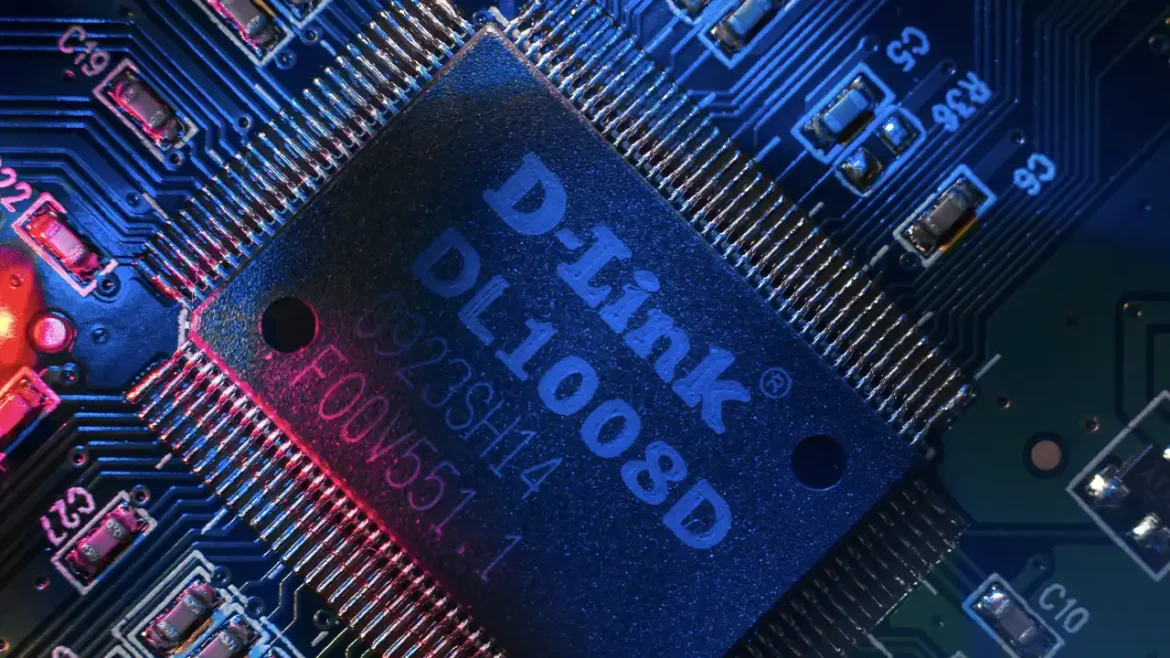
Since its creation in 1986, D-Link has spearheaded developing, producing, and distributing networking, broadband, digital, data communications, and voice solutions. Its cutting-edge products and services continuously adhere to its corporate principle of “Building Networks for People.” The company covers the needs of digital home consumers, small office professionals, small to medium-sized corporations, and enterprise environments.

D-Link grew primarily after focusing on selling consumer items through retail channels. One of its best decisions is to expand into the small office and home office (SOHO) and the small to medium-sized organization (SME) sectors. Most people know the brand for spurring home networking with reliable but affordable equipment.

D-Link’s Launch with Ken Kao

Ken Kao founded the D-Link Group and served as its chairman and CEO. Born in 1950 in Taiwan, he studied at the National Chiao-Tung University in Hsinchu. Kao graduated with a Bachelor of Science in Electro-Physical Engineering in 1972. With several engineers in 1986, he founded Datex Systems, Inc. in Taipei, Taiwan.

Kao wanted to create a company that manufactured high-quality and affordable networking devices. He also envisioned an organization that specialized in producing these devices without depending on an original equipment manufacturer (OEM). The brand he founded used the name Datex, a combination of the terms “data” and “exchange.” When the firm changed its name to D-Link, it kept the “D” from Datex Systems and added the word “Link,” referring to the network, the core of the business.

A Humble Start with Large Potential

Datex Systems began as a company that marketed network adapters. While its first product was a network interface card with a 1-Mbps rating, the brand released the first Ethernet adapter for the PC in 1987, the DE-001. This product was a card that users plugged into a PC motherboard so their computers could access the Ethernet network or LAN.

Within a year, Datex launched the LANSmart Network Operating System. It was the first peer-to-peer structure that facilitated the user’s control of complex network systems. It made an impact on the networking scene because of how easy using these systems became with LANSmart.

With Kao’s leadership, the organization became the top networking equipment provider in the Asia Pacific. This success was primarily attributed to it being one of the first enterprises to enter the PC networking business while it was in its infancy. Kao received the “ROC Model Entrepreneur of the Year” Award in 1991. That same year, Datex Systems expanded internationally, establishing branches in the North American and European markets.

Datex Systems, Inc. became the D-Link Corporation in 1992, in time with the release of the DE-5000. It’s the first chassis-based network switch for enterprises. They are multi-layer LAN devices for more extensive networks, like businesses and campuses.

The firm took home the “Premier Award of Contemporary Business Leaders in Taiwan” three years later. It proved that the company was not only one of the best networking groups but also a principal Taiwanese brand that shifted the limelight to its country.

D-Link’s Stock Market Listing

In 1992, the business delivered five million units annually, generating $150 million in revenues. D-Link developed further when it became the first provider of networking equipment in the Republic of China to list on the Taiwan Stock Exchange, using the ticker code 2332. It became public on October 17, 1994. However, the firm had low brand recognition among consumers. It was because its network interface cards and other components were already found within completed PCs. Consumers didn’t see the point of buying the firm’s products when they were already pre-installed on their computers.

Forbes Magazine named D-Link one of the “Top 300 Companies” in 1998 after years of continuous growth. A year later, the firm stood among the world’s “Top Ten Most Productive Networking Companies,” profiled by Network World Magazine. The networking brand also became one of the “Top 100 Information Tech Companies” in 2002. All these awards boosted the brand’s trustworthiness among consumers. It increased its sales, reputation, and drive to pursue excellence.

D-Link’s Continuous Progress in India

K.R. Naik set up a subsidiary based in Goa, India, the Smart-Link Network Private Limited, in 1993. Naik was a former designer at IBM India. In 1995, D-Link saw the prospect his company offered and bought a 19% stake. Later, this Goa-based operation became D-Link (India) Private Limited.

D-Link India’s presence in 1990s India has the best timing. It was the era when the nation began embracing the Internet. It pushed D-Link India to dominate the local market by manufacturing dial-up modems that offer internet access via computer. The venture also launched several joint initiatives in 2000. This led Taiwanese companies to outsource equipment manufacturing to India. Two are projects with Gigabyte Technology to create motherboards and Lanner Electronics to develop products for the industrial market.

D-Link: Highs and Lows

D-Link and Its NTP Abuse Case

Network Time Protocol (NTP) vandalism brought unwanted attention to D-Link in 2006. It began when Poul-Henning Kamp noticed that the brand’s routers were sending many time requests to an NTP server based in Denmark. The huge traffic increased bandwidth costs and server load, pushing the Danish Internet Exchange (DIX) to request Kamp pay a connection fee of 54,000 DKK or $9,920 yearly. Without the high traffic, the server would’ve been free to the general public.

The problem deepened when D-Link refused to accept responsibility. Eventually, the story blew up online, and people found that its other products also abused other time servers. Only then did the company fix the issues and make a settlement with Kamp.

Ken Kao’s Death

The first Wi-Fi Certified 802.11n from the D-Link Corporation came out in 2007. It was one of the most efficient and best-selling routers. However, all highs come with lows, and D-Link’s occurred on April 2, 2008, when the networking label’s founder and CEO, Ken Kao, died at 58.

His death led to Roger Kao’s undertaking of the position of Chairman. It also pushed D-Link to enter a new age. The brand emphasizes software-developed Cloud services, leading to the creation of Cloud routers, cameras, and more.

THE HNAP Controversy

In 2010, some routers had vulnerabilities linked to Home Network Administration Protocol (HNAP). It meant that some routers let hackers access the device’s administrative settings. The firm’s vague response made people further criticize its next steps.

The company also downplayed the seriousness of the problem. It had even blamed SourceSec, the organization that put a light on their router issues. “By publicizing their tool… the authors of the report have publicly outlined how the security can be breached, which could have had serious repercussions for our customers,” D-Link stated.

After other sources spread the news, D-Link was forced to mend their router problems.

D-Link and ZynOS

ZynOS is a firmware used in several routers. However, in January 2015, it was found to be vulnerable to DNS hijacking. DNS hijacking is a cyberattack that manipulates DNS queries and redirects users to malicious sites. ZTE and TP-Link also got dragged into the controversy because they used the same firmware.

D-Link phased out the affected models and launched a firmware patch to fight the security vulnerabilities posed by ZynOS for consumers who still use them.

D-Link and the Pandemic

At the 2021 Consumer Electronics Show, the D-Link Corporation presented its mydlink smart home solutions. These solutions provided AI-enabled protection, improved security, better manageability, and the mydlink cloud that lets users access their files anywhere. Together with these solutions, D-Link released a complete home smart Wi-Fi water sensor kit and an outdoor Wi-Fi camera to keep families connected and safe during the global crisis.

The digital, broadband, and networking group also became a key player in India during the pandemic. D-Link India reacted by committing Rs. 60 lacs or almost $73,500 to the country’s initiatives against COVID-19. The funds went in three directions: PM Care Fund, CM COVID Fund, and the TATA Memorial Hospital.

D-Link Today

For a networking company with a variety of experiences spanning over twenty years in the industry, D-Link still continues to progress and evolve with the changing times. In 2020 alone, the brand received four awards: CES Innovation Award, iF Design Award, iOT Breakthrough Award, and the Taiwan Excellence Award. These attest to the firm’s constant development to serve its consumers and partners better.

It provides a variety of networking systems, like Wi-Fi routers, range extenders, switches, adapters, and Wi-Fi hotspots for mobile. The brand also offers cameras, smart plugs, hubs, sensors, smart home ecosystems, and apps. These consumer-focused products boost the user’s connectivity, security, and convenience.

For businesses, D-Link provides switches, surveillance, wireless, network security, and network infrastructure products. These enterprises can also use the label’s offered cloud solutions and tools, boosting each organization’s productivity and efficiency.

June 18, 2023 1 comment
0 FacebookTwitterPinterestEmail
Arris Company History
Opinion Pieces, Analysis and Columns

The History Behind the Arris Group

by Maria Caballero June 18, 2023
written by Maria Caballero

Telecommunications manufacturer Arris Group is responsible for many innovative products involving data, video, and telephony systems. Originally a joint venture of Antec Corp. and Nortel Networks to assemble broadband wares in 1995, Arris is now a leading brand for cable providers in network and entertainment. After offering its stock to the public in 2016, it continued to grow and expand. Today, under CommScope, which acquired it in 2018, the company’s headquarters resides in Suwanee, Georgia, and has over 6,000 employees who take care of its telephony modems and other related products. However, before it became a forerunner in the cable telephony industry, the Arris Group went through many mergers and acquisitions that we’ll discuss below.

Scoping Out Arris’ Owners Throughout the Years

The Arris you’re familiar with today started with Anixter, Inc., an innovative equipment maker in the cable industry. To set its distribution channels, the brand bought TeleWire Supply in 1987. A year after, Anixter created a revolutionary product by collaborating with AT&T, successfully introducing the first analog video laser transmitter.

Antec Corp., one of the first owners of Arris, bloomed from being a division of Anixter in 1969 to finally being a separate independent corporation in 1993. Following its predecessor, the business grew as a cable TV equipment distributor and entered the Internet-access equipment industry. After it became a public company, Antec bought expedient organizations, specifically Electronic System Products (ESP), Power Guard, and Keptel, to strengthen its position in the market.

These acquisitions made it possible to produce broadband products. The budding trade offered many opportunities the company wanted to make the most of, so Antec worked with Nortel Networks to seize this market potential. Nortel and Antec’s 1995 joint venture led to Arris Interactive LLC, with the former owning a third of it. They wanted products for delivering telephone and data services, particularly to send data over hybrid fiber-coaxial (HFC) cables.

However, Nortel found itself in a tough spot when it contended against Cisco Systems and Lucent Technologies concerning data and voice networking. To build up its data segment, Nortel bought Bay Networks Inc., which already has LANCity, a specialist in cable modems, as one of its divisions.

To be at par with Cisco and Lucent, Nortel pushed for a restructure that involved its joint venture with Antec. This reorganization combined Arris Interactive, Antec, and LANcity’s expertise, leading to the creation of Arris Group. Antec was also renamed Arris International, Inc.

The latest owner of the Arris Group is CommScope which sells wired and wireless network infrastructures.

The First Peek at Arris’ Earning Potential

Before it became Arris Group, Arris Interactive had already proved its earning potential in 1999 with $329 million in gross sales. To increase its stake and benefit in the venture, Nortel sold its broadband technology arm to the business. With it, Arris gained LANcity’s assets and business. This step culminated in a 142% revenue increase during the following year’s first and second quarters.

Arris’ Sacrifices for Its Long-term Goals

In 2002, the brand sold its Keptel and Actives product lines. Taken from Antec, Keptel was a telecommunications equipment design and manufacturing section focusing on outside plant telecom and transmission equipment. On the other hand, Actives concentrated on HFC products. Together, the two labels garnered over $100 million in sales in the previous year. Even if this was the case, Arris decided to cut them out as they were “not core” to its long-term goals.

The company balanced the loss of these assets with the Cadant Inc. acquisition. A year later, the business also sold the Antec-made ESP line. The engineering consulting services brand brought a $1.4 million loss that year.

How Arris’ Products Brought It Success

Thanks to its previous affiliations, Arris didn’t have issues designing products dedicated to sending voice, video, and data over broadband. One of its main focuses is home and personal needs, so the brand wanted data to travel from the headend to private dwellings and then around the location.

To do this, Arris utilized Antec’s 1550 nm narrow transmitter and dense wavelength division multiplexing (DWDM) system. These items increase a fiber network’s bandwidth, and by combining DWDM with its first 18-band block converter, the technology allowed 144 bands on a common fiber.

The product aimed to join all multimedia on a single IP platform. With it, providers could offer crossover services that paved the way for many consumer-focused apps. These consist of videophone, security, and meter reading applications.

Its key products are Cornerstone and Packet Port. Cornerstone, a top cable telephony product, allows community antenna television (CATV) suppliers to offer digital phone services. Meanwhile, Packet Port combines cable telephony and internet access. It assigns user session numbers, specifies IP network server applications, and identifies packet purpose for communication.

Arris Group Going Public and Becoming a Subsidiary

Arris Group’s success continued in the following decade. The business became an international brand and bought several other companies in the telecommunications and network industry to support its traffic.

On January 6, 2016, the Arris Group offered its stock to the public. It took the ticker symbol ARRS on NASDAQ.

After two years, CommScope Holding Company, Inc. acquired Arris in hopes of driving profitable growth in new markets and communications. The merger cost CommScope $7.4 billion in cash, with the Carlyle Group funding the deal with a $1 billion equity investment.

The transaction noted the companies’ similar culture of prioritizing customers and persistently innovating. The purchase was completed in April 2019. In the same year, CommScope calibrated its business segments into:

  • Home
  • Broadband
  • Venue and Campus
  • Outdoor Wireless Networks

Notable Acquisitions by the Arris Group Throughout the Years

Arris Group’s first acquisition was Cadant Inc., a manufacturer and designer of cable modem termination systems. The merger started in 2001 and finished in 2002, with the cost being 5.25 million common stock shares and 2 million shares for future product sales. The group also assumed $17 million in liabilities.

To thrive in the set-top box (cable box) market, Arris announced in December 2012 its plan to buy Motorola Mobility’s home unit from Google. It took $2.35 billion in stock and cash for the purchase to go through. Aside from boosting both brands’ global presence, the deal also advanced Arris’ home technology prowess.

Another set-top box manufacturer became a subsidiary in 2015. Pace plc, a principal provider of technology solutions to PayTV and broadband, was taken for $2.1 billion in cash and shares. Though it’s based in the UK, Arris managed it from Georgia. Buying Pace improved the business’s international reach. It also expanded the company’s product portfolio across equipment, services, and software. With its new acquisition, Arris earned a large-scale entry into the satellite segment.

Then, Arris acquired Ruckus Wireless and ICX Switch Business for $800 million cash to upgrade and maximize its wired and wireless networking tech. Their switches, Wi-Fi access points, cloud management, LTE, and more are vital in supporting the group in its network infrastructure and sales strategy.

Arris SURFboard SB6190 Modem Issue

In 2017, a class-action suit was filed in California alleging Arris violated state, consumer protection, and warranty laws. The complaint targets the brand’s SURFboard SB6190 cable modem’s design flaws, pointing out the product’s subpar quality and unfitness to connect to the internet. The legal action also refers to the business’s failure to properly label the product and advertise in good faith.

The Arris Brand in 2022

Despite its merger with CommScope, Arris continues to be an industry leader. Its tech and products are sold via its parent company, and the group still pursues customer-focused hardware, software, and services.

With the resources and direction of CommScope, Arris steadily grows and expands in the telecom market. The merger opens both companies’ research, development, and technical expertise. Together, they have around 15,000 patents.

Today, Arris continues to work on products and communications infrastructure solutions such as:

  • Smart home solutions
  • Wired and wireless communications setup
  • Integrated broadband access
  • Private network solutions
  • Small cell solutions for any licensed and unlicensed wireless band
June 18, 2023 0 comment
0 FacebookTwitterPinterestEmail
Netgear Company History
Opinion Pieces, Analysis and Columns

The History of Netgear, the Networking Giant

by Maria Caballero June 18, 2023
written by Maria Caballero

Launched in 1996, the American company Netgear Inc. has manufactured some of the most popular routers, modems, and switches of today. Its founder, current Chairman, and CEO is Patrick Lo, who saw a gap in the industry for networking equipment. Lo established the company with the vision of filling this market need. In 2003, Netgear debuted publicly and now employs over 1,000 workers worldwide, with their own departments managing home security systems, smart hubs, networking cameras, and other security solutions. This networking giant owes its success to its many ups and downs, and today we’re going to cover its journey, starting with the owner.

‘Lo and Behold, Netgear’s Founder and Owner

Before Netgear became a public company, it operated under Patrick Lo’s ownership. Lo began as an electrical engineering student at Brown University. Before completing his degree, he took a job at the Hewlett-Packard Company (HP). Lo worked at HP for 12 years, occupying management positions in different departments, including technical support, software sales, marketing, and product network management.

With the experience under his belt, Lo left HP in 1995 and went to Bay Networks, Inc. in Billerica, Massachusetts, to lead their wireless division.

In the Lo household, Patrick observed each member racing to their computers to be the first to connect to the single dial-up internet connection. Assuming other families held the same problem, Patrick began thinking of a solution and transferred the idea to his stakeholders at Bay Networks.

Bay Networks loved his pitch and greenlit his projects. After building up and renaming the division, Lo later bought Netgear to run it as his own company. He admitted he didn’t take the easy route but noted it was worth it all in the end.

First Products That Pushed It Further and Beyond

The company’s initial merchandise came out in 1996 in Japan. This SOHO (Small Office/Home Office) product line featured ten devices, including five 10BaseT hubs, two Fast Ethernet switches, two Fast Ethernet hubs, and one ISDN router. This first line confirmed Lo’s assumption of a market need in the home networking sector. Netgear’s products became popular when high-speed broadband internet connections and wireless internet technology evolved.

However, the business found it hard to compete for volume sales. One of its Fast Ethernet hubs was at the higher end of the price range (at $1,650). Meanwhile, its competitors sold consumer devices for $99 and office products for $299. Lo strictly monitored Netgear’s inventory and costs while focusing on new product introductions to gain new customers. The brand marketed off-the-shelf wares from other companies, like Broadcom, Atheros Communications, and Marvell. It also contracted Taiwanese manufacturers so the brand could focus on providing system integration.

Over the years, Netgear has operated under different owners – first Bay Networks, then Nortel. Lo served as its CEO from its foundation until he bought the brand from Nortel. It released products such as the Nighthawk Wi-Fi routers and the newer Orbi mesh Wi-Fi line to keep up with the growing networking market.

Conversion From Private to Public Company

When Netgear spun off from Nortel, Pequot Capital Management Inc. provided $15 million in equity financing. This financial backing pushed the brand to plan an initial public offering (IPO) of stock. The official filing for an IPO with the Securities and Exchange Commission (SEC) didn’t occur until 2003.

The reason behind the late filing was out of Netgear’s hands. In the first four months of 2000, 158 companies became public, keeping the SEC busy. In 2002, 24 companies lined up for public ownership. Finally, Lo announced the company’s debut as a publicly owned company in April 2003, during the slowest period of IPO activity.

In the time leading to its conversion to a public company, Netgear began offering various wired and wireless networking gear. It included switches, adapters, print servers, access points, routers, and hubs. The business provided new hope for the market investors recovering from the dot-com debacle. Even the investors that withdrew from the 2000 IPO returned to bid on the networking company, raising $98 million in IPO in 2003.

Currently, Netgear uses the ticker symbol NTGR on NASDAQ and is an S&P 600 component.

(Net)Gearing Up for the Future With New Acquisitions

Netgear acquired several companies to bolster its market growth and tech development. Its first purchase as a public company was in 2006, when it bought SkipJam Corp. a home entertainment software company, for $9 million.

Its subsequent notable acquisition occurred in May 2007, when it paid $60 million to buy Infrant Technologies, the creator of the ReadyNAS line of network-attached storage devices. It marked the brand’s entry into the storage market.

Over a year later, it acquired China-based integrated security solutions provider, CP Secure Inc., for $18 million. CP Secure’s security and network protection complemented Netgear offerings, like the ProSafe Wired and Wireless VPN firewalls and SSL VPN concentrator.

The networking equipment provider Avaak became a Netgear acquisition in July 2012, taking the company from Trinity Ventures, InterWest Partners, and Leapfrog Ventures. The networking giant didn’t disclose the amount, but it reached $24 million in cash. Avaak provided wireless video networking technology, like remote video surveillance equipment, helping Netgear expand its business into offering online services like the VueZone cloud monitoring service.

One of the most recent and significant Netgear acquisitions is Meural, the producer of gesture-controlled Wi-Fi-connected digital frames showcasing photos or classic artworks. Netgear used Meural’s technology to expand into the digital home lifestyle market.

Netgear and Its Scandals

Netgear’s models became at risk in January 2017, leading to the 2017 Netgear bug. This exploitation allowed third parties to access the brand’s routers and internal networks. Hackers used this chance to turn the routers into botnets, leaving over a million users vulnerable to remote attacks.

Another major problem popped up in 2020. The Netgear Vulnerability issue affected the brand’s SOHO devices. Several of its home Wi-Fi routers had a security flaw that enabled hackers to assault the devices remotely. These routers had firmware with a built-in web server. Users had to enter their password into an unprotected firmware whenever they launched the administration interference. The bug impacted 79 Netgear router models.

The Company During the Pandemic

Like many companies, Netgear adopted a work-from-home style in the first quarter of 2020. It retained critical on-site work, like engineering, by implementing extra safety measures.

The company financially soared through during the pandemic with the launch of Orbi and Nighthawk models. As a known networking hardware and software brand, Netgear’s Wi-Fi routers were in demand in many households, but the temporary shutdown of offices slowed the sales of its business products. The brand adapted by shifting its focus on providing home-based consumer devices, but it didn’t stop supply shortages.

Despite generating $230 million in net revenue in Q1 of 2020, Netgear’s shares declined for a short while when it withdrew its 2020 financial guidance. The brand bounced back in Q3 and Q4 of 2020. However, because of the pandemic’s Omicron variant, even if there’s growth in the demand for its products, Netgear faced supply issues from factories closing down. It also experienced higher costs for sea freight transportation, materials, and product components in 2021.

Netgear Today

Today, Netgear doesn’t manufacture anything on its own. The brand outsources a big chunk of its manufacturing to other electronics companies but does system integration of its components on-site. These other companies include Delta Networks, Foxconn, Pegatron Corporation, Delta Networks, Shenzhen-based USI Electronics, and more.

The networking giant began with a 10-product line that included hubs, switches, and a router. Since its first product release, the company has also expanded to providing DSL/cable gateways. The technology it gained from its acquisitions has also led it into the markets for surveillance IP cameras and network-attached storage. In 2021, Netgear also released smart home products and pro gaming routers featuring Wi-Fi 6E technology.

June 18, 2023 0 comment
0 FacebookTwitterPinterestEmail
Troubleshooting Hardware and Software

Configuring 3Com Hardware Systems: A Comprehensive Guide

by DMG Webmaster June 18, 2023
written by DMG Webmaster

Configuring 3Com hardware systems is a crucial step to ensure optimal performance and functionality. Whether you’re setting up a 3Com Phone System, Router, or Modem, a proper configuration ensures seamless communication, reliable network connectivity, and enhanced security. In this comprehensive guide, we will walk you through the step-by-step process of configuring various 3Com hardware systems to help you get started.

I. Configuring a 3Com Phone System

A 3Com Phone System offers advanced telephony features for efficient communication within your organization. Here’s how to configure it:

Configuring a 3Com Modem involves several steps to ensure proper internet connectivity. Here is a general guide on how to configure a 3Com Modem:

  1. Connect Hardware:
    • Ensure that the modem hardware is properly installed and connected to your computer or router.
    • Connect the modem to your computer or router using an Ethernet cable.
  2. Access Configuration Interface:
    • Determine the default IP address of the 3Com Modem. This information is usually provided in the modem’s documentation or printed on the modem itself.
    • Open a web browser on your computer.
    • Enter the default IP address of the modem in the browser’s address bar.
  3. Login to the Configuration Interface:
    • The configuration interface will prompt you to enter a username and password.
    • Use the default credentials provided in the modem’s documentation or enter the credentials that were set during initial setup.
  4. Basic Internet Settings:
    • Once logged in, you will have access to the configuration menu.
    • Configure basic internet settings such as the type of internet connection (e.g., PPPoE, DHCP, Static IP).
    • Enter the required information provided by your Internet Service Provider (ISP), such as username, password, and IP settings.
  5. Wireless Network (If Applicable):
    • If your 3Com Modem supports wireless connectivity, configure wireless network settings.
    • Set the wireless network name (SSID), security type (e.g., WPA2), and passphrase.
    • Specify the wireless channel and other relevant parameters.
  6. LAN Configuration:
    • Configure the Local Area Network (LAN) settings for your internal network.
    • Assign an IP address, subnet mask, and DHCP settings for the LAN interface of the modem.
    • Consider enabling features like NAT (Network Address Translation) to allow multiple devices on your LAN to share a single public IP address.
  7. Security Settings:
    • Set up security measures such as passwords, firewall rules, and access controls to protect the modem from unauthorized access.
    • Enable or configure any additional security features provided by the modem, such as MAC address filtering or port filtering.
  8. Save and Apply Changes:
    • After configuring all the desired settings, save the changes and apply them to the modem.
    • The modem may require a restart or a reboot for the changes to take effect.
  9. Test and Verify:
    • Test the modem’s connectivity by accessing websites or performing network-related tasks to ensure internet connectivity.
    • Verify that devices connected to the modem can access the internet and communicate with each other.

It’s important to note that the specific steps and options may vary depending on the model and version of the 3Com Modem you are using. Refer to the modem’s documentation or consult with the manufacturer for detailed instructions specific to your model. Additionally, some modems may require initial setup or configuration from your Internet Service Provider (ISP).

II. Configuring a 3Com Router

A 3Com Router ensures seamless connectivity and efficient network management.

Configuring a 3Com Router involves several steps to ensure proper setup and network connectivity. Here is a general guide on how to configure a 3Com Router:

  1. Connect Hardware:
    • Ensure that the router hardware is properly installed and connected to the network.
    • Connect the router to your computer using an Ethernet cable.
  2. Access Configuration Interface:
    • Determine the default IP address of the 3Com Router. This information is usually provided in the router’s documentation or printed on the router itself.
    • Open a web browser on your computer.
    • Enter the default IP address of the router in the browser’s address bar.
  3. Login to the Configuration Interface:
    • The configuration interface will prompt you to enter a username and password.
    • Use the default credentials provided in the router’s documentation or enter the credentials that were set during initial setup.
  4. Basic Network Settings:
    • Once logged in, you will have access to the configuration menu.
    • Configure basic network settings such as the router’s IP address, subnet mask, gateway, and DNS settings.
    • Ensure that the network settings align with your network infrastructure and meet your organization’s requirements.
  5. Wireless Network (If Applicable):
    • If your 3Com Router supports wireless connectivity, configure wireless network settings.
    • Set the wireless network name (SSID), security type (e.g., WPA2), and passphrase.
    • Specify the wireless channel and other relevant parameters.
  6. WAN Configuration:
    • Configure the Wide Area Network (WAN) settings for internet connectivity.
    • Depending on your ISP and network setup, choose the appropriate WAN connection type, such as DHCP, PPPoE, or static IP.
    • Enter the required information provided by your ISP, such as username, password, and IP settings.
  7. LAN Configuration:
    • Configure the Local Area Network (LAN) settings for your internal network.
    • Assign an IP address, subnet mask, and DHCP settings for the LAN interface of the router.
    • Consider enabling features like NAT (Network Address Translation) to allow multiple devices on your LAN to share a single public IP address.
  8. Security Settings:
    • Set up security measures such as passwords, firewall rules, and access controls to protect the router from unauthorized access.
    • Enable or configure any additional security features provided by the router, such as VPN (Virtual Private Network) or content filtering.
  9. Advanced Configuration:
    • Explore the router’s advanced configuration options to fine-tune settings based on your specific requirements.
    • This may include port forwarding, dynamic DNS setup, QoS (Quality of Service) settings, or VLAN (Virtual LAN) configuration.
  10. Save and Apply Changes:
  • After configuring all the desired settings, save the changes and apply them to the router.
  • The router may require a restart or a reboot for the changes to take effect.
  1. Test and Verify:
  • Test the router’s connectivity by accessing websites or performing network-related tasks to ensure internet connectivity.
  • Verify that devices on your LAN can communicate with each other and access network resources.

It’s important to note that the specific steps and options may vary depending on the model and version of the 3Com Router you are using. Refer to the router’s documentation or consult with the manufacturer for detailed instructions specific to your model.

III. Configuring a 3Com Modem:

Configuring a 3Com Modem involves several steps to ensure proper internet connectivity. Here is a general guide on how to configure a 3Com Modem:

  1. Connect Hardware:
    • Ensure that the modem hardware is properly installed and connected to your computer or router.
    • Connect the modem to your computer or router using an Ethernet cable.
  2. Access Configuration Interface:
    • Determine the default IP address of the 3Com Modem. This information is usually provided in the modem’s documentation or printed on the modem itself.
    • Open a web browser on your computer.
    • Enter the default IP address of the modem in the browser’s address bar.
  3. Login to the Configuration Interface:
    • The configuration interface will prompt you to enter a username and password.
    • Use the default credentials provided in the modem’s documentation or enter the credentials that were set during initial setup.
  4. Basic Internet Settings:
    • Once logged in, you will have access to the configuration menu.
    • Configure basic internet settings such as the type of internet connection (e.g., PPPoE, DHCP, Static IP).
    • Enter the required information provided by your Internet Service Provider (ISP), such as username, password, and IP settings.
  5. Wireless Network (If Applicable):
    • If your 3Com Modem supports wireless connectivity, configure wireless network settings.
    • Set the wireless network name (SSID), security type (e.g., WPA2), and passphrase.
    • Specify the wireless channel and other relevant parameters.
  6. LAN Configuration:
    • Configure the Local Area Network (LAN) settings for your internal network.
    • Assign an IP address, subnet mask, and DHCP settings for the LAN interface of the modem.
    • Consider enabling features like NAT (Network Address Translation) to allow multiple devices on your LAN to share a single public IP address.
  7. Security Settings:
    • Set up security measures such as passwords, firewall rules, and access controls to protect the modem from unauthorized access.
    • Enable or configure any additional security features provided by the modem, such as MAC address filtering or port filtering.
  8. Save and Apply Changes:
    • After configuring all the desired settings, save the changes and apply them to the modem.
    • The modem may require a restart or a reboot for the changes to take effect.
  9. Test and Verify:
    • Test the modem’s connectivity by accessing websites or performing network-related tasks to ensure internet connectivity.
    • Verify that devices connected to the modem can access the internet and communicate with each other.

It’s important to note that the specific steps and options may vary depending on the model and version of the 3Com Modem you are using. Refer to the modem’s documentation or consult with the manufacturer for detailed instructions specific to your model. Additionally, some modems may require initial setup or configuration from your Internet Service Provider (ISP).


Configuring 3Com hardware systems, including Phone Systems, Routers, and Modems, is essential for optimal performance, reliable connectivity, and enhanced functionality. By following the step-by-step instructions outlined in this guide, you can ensure proper configuration of each system. Remember to refer to the system documentation, user manuals, or consult with the manufacturer for specific instructions based on your model. With a well-configured 3Com hardware setup, you can enjoy seamless communication, efficient network management, and a secure environment for your organization’s needs.

June 18, 2023 10 comments
0 FacebookTwitterPinterestEmail
3Com Company History
Opinion Pieces, Analysis and Columns

3Com – The Company Behind the Early Days of Internet

by Maria Caballero June 18, 2023
written by Maria Caballero

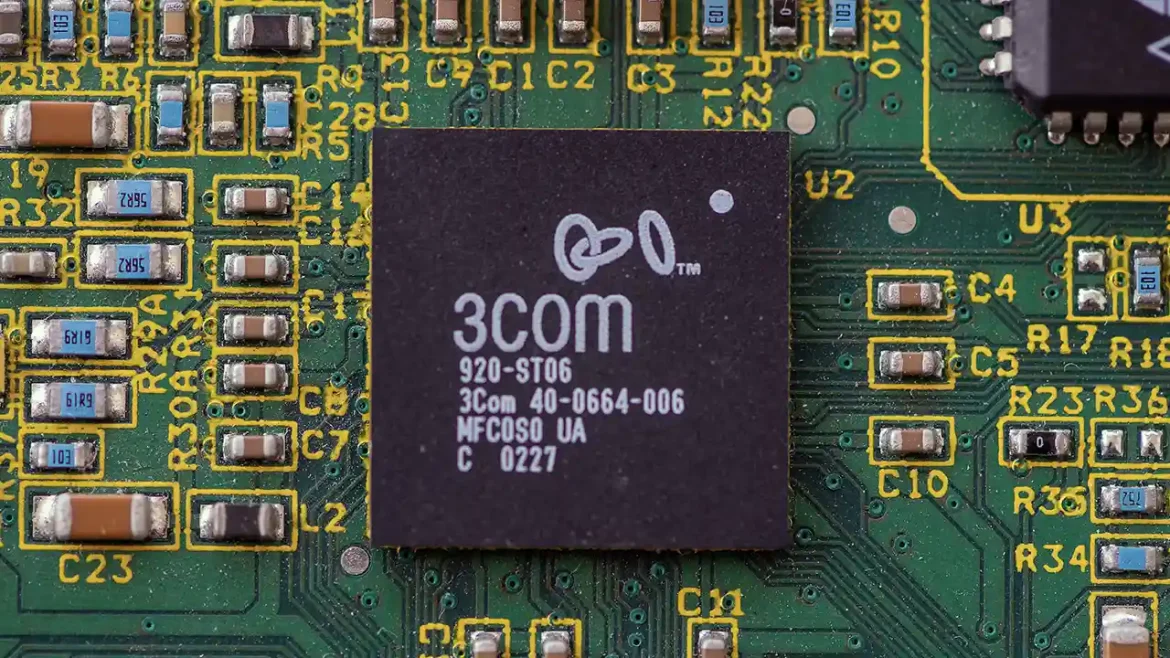
Founded in 1979 by Robert Metcalfe, Howard Charney, and two others, 3Com Corporation found its success in the computer network products industry. It had its headquarters in Marlborough, Massachusetts, and traded on NASDAQ as COM from 1984 to 2010. The brand’s top products included Ethernet switches, wireless access points, IP telephony products & applications, and routers. The brand also acquired many companies in the same industry, which drove its success in its prime years. 

In late 2009, the multinational information technology company Hewlett-Packard (HP) announced its plan to acquire 3Com for $2.7 billion. HP completed its acquisition of 3Com a year later. When HP Enterprise (HPE) spun off its services business and enterprise products arm in November 2015, it merged 3Com into the company’s Aruba Networks unit. Today, the 3Com brand offers edge-to-cloud platform solutions, security, data storage, networking products, and software services.  

Bob Metcalfe, Company Co-Founder and the Co-Inventor of the Ethernet

Born on April 7, 1946, Robert M. Metcalfe went to the Massachusetts Institute of Technology or MIT, graduating with degrees in electrical engineering and industrial management. He also finished his Master of Science degree in mathematics and Ph.D. in computer science at Harvard. As he was taking his doctorate, Metcalfe worked with MIT’s Project MAC, where he built hardware for linking the institution’s minicomputers with the ARPAnet. 

Later, Metcalfe worked at Xerox PARC, where he fixed the bugs in the AlohaNet model of the University of Hawaii’s ALOHA network. The analysis became his thesis, which led to his earning his Harvard Ph.D. While working at PARC, Metcalfe worked with David Boggs to invent the Ethernet in 1973, one of the first systems for connecting peripherals and computers over short distances.  

Metcalfe quit Xerox PARC after six years to start his own consulting firm. In the same year, he co-founded 3Com in his Palo Alto apartment with Howard Charney, an engineer and patent attorney, with two others. In 1980, the group refocused their company and turned it into a LAN equipment manufacturing firm that used the Ethernet technology Metcalfe had co-created. With Metcalfe’s encouragement, Xerox shared its Ethernet patent with Digital Equipment Corporation and Intel. It led to the establishment of the technology as a LAN industry standard. As a manufacturer, 3Com was a few steps ahead and was already using the Ethernet. 

With Metcalfe’s prediction that the personal computer would become common, the group approached venture firms in California for financial backup. Three venture capitalists contributed $1.1 million, and 3Com used the financing to run a business strategy focused on long-term growth.  

In 1981, L. William Krause, the general manager from HP’s General Systems Division, joined the company as its president, with Metcalfe as its CEO, chairperson, and vice president of engineering. Krause’s intentions of growing the company led to the brand shipping its first hardware product: an Ethernet transceiver and adapter. Because of the novelty of the technology and Krause’s risk-averse management strategy, the lack of sales led to a potential cash flow problem.  

Management Changes and Going Public

Later, the board forced Metcalfe to give his CEO position to Krause while he took on the part of vice president of sales and marketing. The change caused 3Com’s sales to rocket in 1982, shortly after IBM released its 16-bit personal computer. With profits soaring in 1983, 3Com applied for an initial public offering in 1984 and raised $10 million. It went public on NASDAQ and used the ticker code COMS. Another 1984 development was the new software division for creating advanced network software, 3&plus, which the company launched two years later. 

In 1986, the firm also promoted 3Server, a computer designed to function as a network server. 3Com also wanted to manufacture computers to be clients, so it worked with Convergent Technologies Inc., a manufacturer of UNIX-based computers. The merger was canceled two days before the shareholders could approve, per 3Com’s investment banker’s advice. Instead, the company sold systems with personal computer products that operated within the network, called network stations.  

Acquisitions, Mergers, and Joint Ventures

3Com’s marketing products later emphasized workgroup productivity improvement. In 1987, it introduced new software, network servers, and industry-standard network adapter cards. In September that year, 3Com spent $151 million on acquiring Bridge Communications Inc., an internetwork gateways manufacturer. Its devices could connect networks on a corporate level and complemented 3Com’s products well. The merged companies became the largest independent networking manufacturer at the time.  

However, the different management styles and corporate cultures created friction. It took over a year before the company could launch its internetworking products. The same issue echoed in its sales forces, wherein 3Com catered to value-added resellers while Bridge focused on direct sales. The LAN Manager sales suffered from friction despite initiating a Cooperative Selling Program.  

Microsoft Corporation also worked with the brand to create LAN Manager network software for the OS-2 operating system. In 1988, Microsoft marketed its version of LAN Manager called 3+Open. Novell, a competitor of 3Com, marketed NetWare against OS-2, making it less popular. 

Another notable acquisition occurred in 1995 when 3Com bought Chipcom Corporation for $700 million in stock. The stock purchase created the second-largest manufacturer of computer network equipment in the US.  

The New Renaissance Plan

After the company neglected its other sales, Krause executed a “New Renaissance Plan” in January 1990. The firm branded itself as a network integrator and network systems supplier. It had to give up the fight against Novell and NetWare. It also passed off the task of marketing LAN Manager to Microsoft.  

The company became centralized when Krause reduced its divisions to three only: sales, product development, and internal operations. The management also underwent some changes, with Bridge Communications co-founder Eric Benhamou stepping up as the new president and chief operating officer. Metcalfe also resigned, followed by Krause.  

Business Troubles and Scandals: Late 90s Lawsuit

In 1997, the corporation acquired US Robotics (USR), a networking equipment manufacturer based in Illinois, United States. However, two months before the stock swap, when 3Com could seize its new purchase, USR’s stock doubled in value, leading to an additional $200 million gain for the former.  

When information about the alleged incident occurred, a shareholder suit was filed against 3Com Corporation. In 2000, the company announced that it’d settle the action-class suit with $259 million. Consequently, 3Com’s stock  

slumped, costing shareholders $500 to $700 million.  

The Company During the Covid Pandemic

Since 3Com was already absorbed into HPE’s Aruba Networks arm, it likely suffered the same fate as its new parent company when COVID-19 hit. We don’t have data on how 3Com fared during the height of the pandemic, but we can infer from HPE’s pandemic situation. HPE’s annual revenue fell by 7.39% or $26.982 billion in 2020 from 2019. In 2021, the company’s revenue increased by 2.97% or $27.784 billion.  

Where Is 3Com Today?

While it doesn’t place its own brand on its merchandise, 3Com likely sells its products under the HPE brand. HPE’s primary offers revolve around networking, like cloud software, data storage & protection, virtual desktops, and networking solutions. The brand also provides software and computing solutions, often those that complement its cloud-native apps and edge-to-cloud offers. Since 3Com previously sold and manufactured Ethernet switches and gateways, it likely still fabricates the same hardware for HPE’s offerings. The same may apply to its local area network interface cards, routers, and other connectivity products.  

June 18, 2023 19 comments
0 FacebookTwitterPinterestEmail
Troubleshooting Hardware and Software

How to Troubleshoot your 3Com System

by DMG Webmaster June 18, 2023
written by DMG Webmaster

When setting up a 3Com hardware system, it’s important to have a troubleshooting plan in place to address any issues that may arise. This comprehensive guide will walk you through the process of troubleshooting 3Com phone systems, routers, and modems. By following these steps, you can effectively identify and resolve hardware-related problems, ensuring optimal performance and functionality.

I. Troubleshooting 3Com Phone Systems: A. Phone Connection Issues:

  1. Check Physical Connections: Ensure that all phone cables are securely connected to the appropriate ports on the phone system and the phones themselves. Verify that there are no loose or damaged cables that may be causing connectivity problems.
  2. Test Alternate Cables and Phones: Replace the cables and phones with known working ones to determine if the issue lies with the original hardware. This helps identify whether the problem is specific to a particular phone or cable.
  3. Verify Power Supply: Check that the power supply for the phone system is functioning properly. Ensure that the power cord is securely connected, and consider testing with an alternate power supply if available.

B. Call Quality Problems:

  1. Assess Network Connection: Verify that the network connection to the phone system is stable and has adequate bandwidth. Check for network congestion or any other factors that may affect call quality.
  2. Evaluate Codecs: Confirm that the correct voice codecs are configured on the phone system. Different codecs have varying compression algorithms and can affect call quality. Adjusting the codecs can improve voice clarity.
  3. Address Interference: Minimize nearby sources of interference, such as electrical equipment or other devices that emit electromagnetic signals. These sources can cause static or other disruptions in call quality.

C. Voicemail and Call Routing Issues:

  1. Review Configuration Settings: Check the phone system’s configuration settings for voicemail and call routing rules. Ensure that the settings align with the desired setup and that they haven’t been misconfigured or altered unintentionally.
  2. Test Extensions and Call Routing: Make test calls to verify that extensions and call routing rules are functioning as intended. Identify any issues with call routing, such as calls not being directed to the correct extensions or voicemail boxes.

II. Troubleshooting 3Com Routers: A. Connectivity Problems:

  1. Check Physical Connections: Ensure that all cables connecting the router to the network are properly seated and secure. Inspect Ethernet cables for any signs of damage or wear.
  2. Power Cycle Router: Perform a power cycle by turning off the router, waiting for a few seconds, and then turning it back on. This can resolve temporary glitches or issues caused by excessive heat.
  3. Test Network Devices: Use a network cable tester to check for any issues with cables or ports. Identify and replace any faulty cables or network devices that may be causing connectivity problems.

B. Internet Connection Issues:

  1. Verify ISP Connection: Contact your Internet Service Provider (ISP) to ensure there are no outages or service disruptions in your area. They can check the connection from their end and provide guidance if there are any known issues.
  2. Check IP Configuration: Review the router’s IP settings, including DHCP and DNS configurations, and verify their accuracy. Ensure that the router is receiving a valid IP address from the ISP and that DNS settings are properly configured.

C. Firmware Updates:

  1. Check for Updates: Visit the 3Com website or the router manufacturer’s website to see if there are any firmware updates available for your specific router model. Check for release notes to determine if the updates address any known issues.
  2. Update Firmware: Follow the manufacturer’s instructions to download and install the latest firmware for your router. Firmware updates can resolve bugs, improve performance, and enhance stability.

III. Troubleshooting 3Com Modems: A. Connection Problems:

  1. Verify Physical Connections: Ensure that all cables between the modem and the computer/router are properly connected. Check for loose or damaged cables that may cause intermittent or no connection issues.
  2. Restart Modem: Power cycle the modem by turning it off, waiting for a few seconds, and then turning it back on. This can help resolve temporary glitches or issues caused by the modem’s operation.

    B. Internet Connection Issues:

    1. Check ISP Status: Contact your Internet Service Provider (ISP) to confirm if there are any known connectivity issues in your area. They can provide information about any service outages or maintenance activities that may affect your modem’s connection.
    2. Reset Modem to Defaults: If the modem has configuration options, you can try resetting it to factory defaults. This clears any custom settings that might be causing connectivity issues. After resetting, reconfigure the modem according to your ISP’s instructions.

    C. Signal Strength Problems:

    1. Check Signal Levels: Access the modem’s configuration interface (usually via a web browser) and locate the section that displays signal levels. Look for values such as signal-to-noise ratio (SNR) and power levels. Compare these values to acceptable ranges provided by your ISP. If the levels are outside the acceptable range, contact your ISP for further assistance.

    D. Firmware Updates:

    1. Check for Updates: Visit the 3Com website or the modem manufacturer’s website to check for available firmware updates for your specific modem model. Look for any release notes or documentation accompanying the firmware update.
    2. Upgrade Firmware: If updates are available, follow the instructions provided by the manufacturer to upgrade the modem’s firmware. Firmware updates can address bugs, enhance performance, and improve compatibility with newer technologies.

Conclusion: By following the troubleshooting steps outlined in this guide, you can effectively address hardware-related issues with 3Com phone systems, routers, and modems. Remember to check physical connections, review configuration settings, test alternate hardware, and seek assistance from your ISP or manufacturer when necessary. With a systematic approach to troubleshooting, you can resolve problems and ensure the optimal performance of your 3Com hardware setup.

June 18, 2023 16 comments
0 FacebookTwitterPinterestEmail
Various Files, Manuals and Documentation

Download the 3Com SuperStack 3 Switch 4400 Manual for Free

by DMG Webmaster June 18, 2023
written by DMG Webmaster

In 2010, Hewlett-Packard acquired 3Com, which marked the end of this reputable networking hardware brand. During their best years, 3Com was prominent in the router, switch, and general networking interface card market, with products that can still easily be found in working condition. You will find that 3Com hardware has a solid reputation in terms of build quality and reliability, while the configuration and setting up part does have a couple of quirks to get around. For this reason, it is a good idea to get the official 3Com Manuals to make sure everything is configured as designed, which will ensure a reliable operation for your use case.

Similar to the 3Com Baseline Plus Switch 2952 Manual, the 3Com SuperStack 3 Switch 4400 Manual is no longer being actively marketed or supported by the company. If you’re having any specific issues, we would recommend jumping over to our 3Com Troubleshooting section. In there you can find several articles that could help you in configuring or troubleshooting your device, most notably:

  1. How to Troubleshoot your 3Com System, where we explain several steps in troubleshooting your device.
  2. How to Configure your 3Com System – an article explaining the basics of router configuration for common 3Com routers and phone systems.

The SuperStack 3 4400 switch series by 3Com provides 10/100 bandwidth across all ports. Stacking is an option and you can achieve up to 384 ports in total, which is enough for a medium sized enterprise configuration. Network security features follow closely, meaning you get IEEE 802.1X authentication and RADIUS Authenticated Device Access. Software that comes bundled includes 3Com Network Supervisor, which gives a wide overview of all network specifics, such as topology discovery, planning of capacity and general utilization monitoring, while event logging and fault identification and troubleshooting can be dealt with over the adjacent service port.

Where Can You Download the 3Com SuperStack 3 Switch 4400 Switch Manual?

Manuals in physical, printed form do have somewhat of a charm to them, but when you need to find some specifics regarding your device, it is much easier to browse through a digital PDF file. Our 3Com Troubleshooting Section is continuously updated as well. We are working towards providing manuals to you hassle-free and are glad to provide you with your 3Com SuperStack 3 Switch 4400 Switch Manual. You can access it by following this link: https://sharedf.com/3com-superstack-3-switch-4400-manual/

June 18, 2023 1 comment
0 FacebookTwitterPinterestEmail
Newer Posts
Older Posts

Recent Posts

  • VPN Quiz Helper
  • Five Best Routers for Households with Multiple Devices
  • How to Install a VPN on Your Modem
  • A Guide on how to Install a VPN on Your Router
  • A Guide on Using a VPN on an iPhone

Recent Comments

  1. D-Link Announced Industrial Access Points for Industry X.0 - Network Headlines on The History Behind D-Link, Ken Kao and Their Roots
  2. [Solved] VPN Error 720, can't connect to a VPN connection - Network Headlines on [Solved] VPN Error 812 in Windows 10
  3. [Solved] VPN Error 812 in Windows 10 - Network Headlines on [Solved] VPN Error 691 when connecting
  4. [Solved] VPN Error 691 when connecting - Network Headlines on [Solved] VPN Error 619, incomplete connection error
  5. [Solved] Error 789 Pops up with a VPN - Network Headlines on [Solved] VPN Throws an Error 807 Tantrum
  • Facebook
  • Twitter

@2021 - All Right Reserved. Designed and Developed by PenciDesign


Back To Top
Network Headlines
  • Home